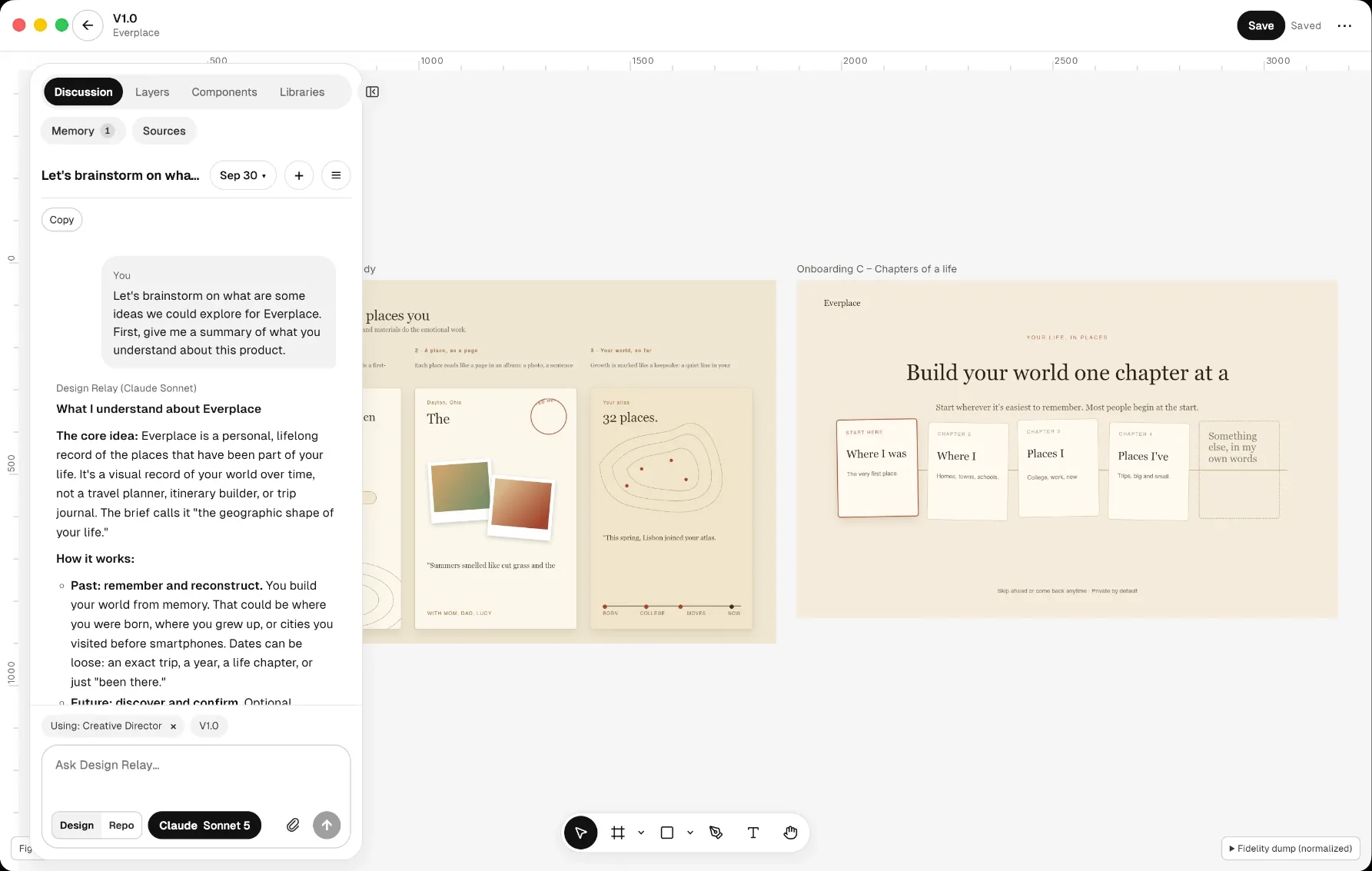
Private macOS early access

Design Relay

Your designs, discussions, and decisions. Together.

So AI builds on your thinking, not just your latest prompt.

Get Early Access

Integrations

Your tools stay.
The context stays too.

Claude, ChatGPT, and Cursor work as agents on the same project. Read and write Notion docs, bring in source material from Slack, and paste Figma designs straight onto the canvas.

  • ClaudeAgent
  • ChatGPTAgent
  • CursorAgent
  • NotionRead + write
  • SlackSource
  • FigmaPaste only
  • More integrationsComing soon

How it works

One project.
A continuous thread.

TRAVEL / ONBOARDING01 — 04
AN IDEA

What if finding your next trip felt less like planning?

Explore a simpler way to discover places worth visiting.

Talk it throughFirst design
Amalfi Coast imagery for a first travel discovery designTravel discovery / first exploration
IdeaExplorationDecisionsPRD
Exploration ↔ Discussion ↔ Decisions PRD when you’re ready to implement
  1. 01

    Start with an idea. Or a design.

    An idea can become your first design. An existing design can spark a new idea. Start wherever the work is.

    Idea
  2. 02

    Explore. Discuss. Design. Repeat.

    Once a design exists, keep ideating beside it. Explore alternatives with Claude, Cursor, and Codex — each discussion opens up the next possibility.

    Exploration
  3. 03

    Let discussions become decisions.

    Every discussion can lead to a decision. Confirm what matters in Project Memory, then bring those decisions into the next exploration.

    Decisions
  4. 04

    Turn the journey into a PRD.

    When it’s time to implement, create a PRD from Project Memory and the decisions made along the way. Document it through connected Notion — no separate recap or prewritten PRD needed.

    PRD

The difference

Same request.
Different starting point.

WITHOUT DESIGN RELAY
“Create a new onboarding screen.”
A new conversation

What’s the product? Are there any requirements or past decisions I should know about?

01Re-explain the product and constraints
02Find the feedback and past decisions
03Hope the next prompt covers everything

Another conversation. Another recap.

WITH DESIGN RELAY
“Explore a simpler onboarding screen using what we've already decided.”
Claude · Project context connected

Keeping the three-step flow and existing visual direction. Here’s a simpler exploration.

Requirements already in Project Memory

Confirmed decisions stay connected

Existing designs inform the next exploration

Travel onboarding discover screen01Discover
Travel onboarding save screen02Save
Travel onboarding explore screen03Explore

The next exploration builds on the last.

NEXT CONVERSATION

The difference isn't just what AI creates. It's what it understands before it starts.

Get Early Access

A note from Sonali

Built by a designer.
For the work
between prompts.

I'm Sonali. I kept spending more time reconstructing context than designing — so I started building Design Relay.

Meet the designer ↗Sonali

Early access

Download Design Relay

Private macOS early access. Try Design Relay with real work and help shape what comes next.

Apple silicon · Disk image

Version 0.1.13, released November 20, 2026

Design Relay workspace with a discussion beside editable designs